Cry Babies
IMC ToysEducational
4.1205.00 Reviews
- Version
- 3.10.2
- Installs
- 10.00M
- Age Rating
- Everyone
Screenshots
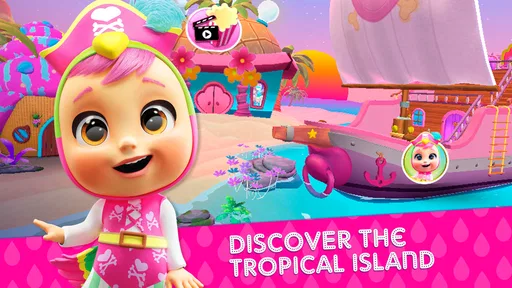
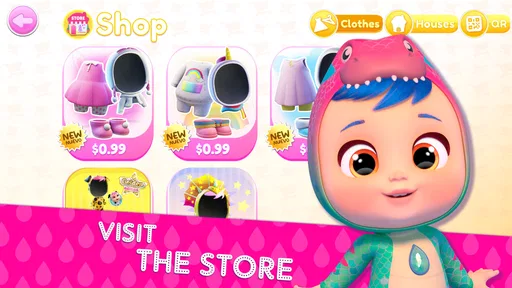
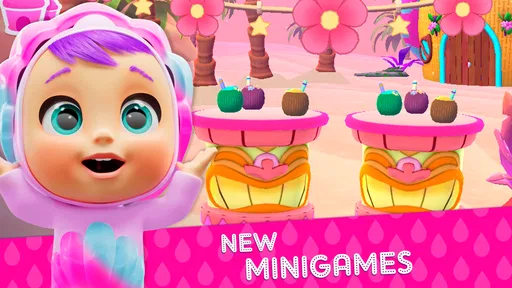
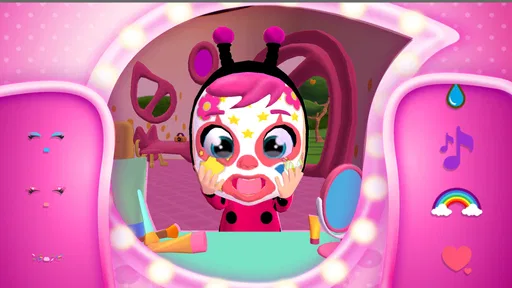
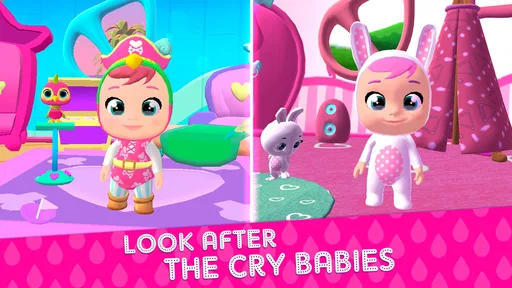
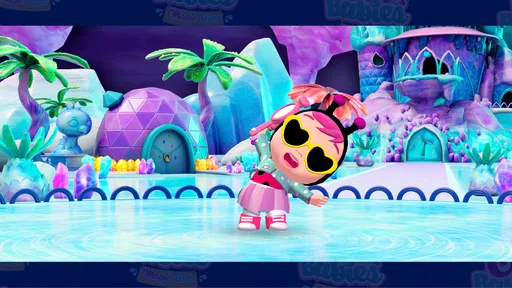
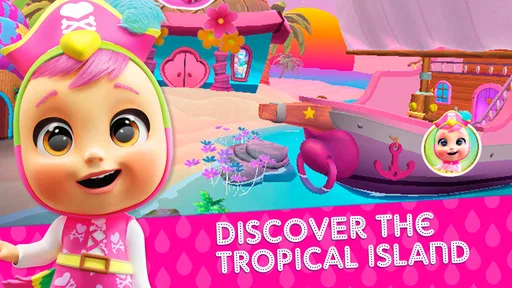
Our Review of Cry Babies
 Analysis by Appyee
When I tried Cry Babies Magic Tears on a shared family device, I understood its appeal quickly: it turns familiar Cry Babies characters into a gentle, child-focused game that is easy to approach without requiring a long explanation from an adult. The presentation is clearly aimed at young fans, and the educational category gives it a different feel from a purely competitive or action-based children’s game. I would describe it as a small play space for children who already enjoy the characters, rather than as a complete learning program.
The game is free to start, which makes it simple to test before deciding whether it belongs on a child’s tablet or phone. It comes from IMC Toys and is suitable for Everyone, so its intended audience is broad in age terms. Still, “Everyone” does not mean every child will enjoy it equally. A child who likes pretend play, character collecting and short activities is more likely to stay interested than one who wants complex challenges, fast reactions or a deep story.
How Cry Babies works in a shared household
When I look at Cry Babies Magic Tears in a shared household, I think the key is to make the device feel like a place for taking turns rather than something one child has to guard. I’d agree on a simple handover routine before play begins, so the next section can focus on helping siblings share the experience without turning every tap into a negotiation.
A natural fit for short turns on one device
The strongest everyday use case is a shared device passed between children during a quiet part of the day. I can imagine a child playing for a few minutes while a parent prepares dinner, or siblings taking turns after school without needing a separate console for each person. The colorful character focus makes the game immediately recognizable, while the straightforward design helps a child begin without constant adult instruction.
That simplicity is useful, but it also defines the limits of the experience. This is not the sort of game I would choose to organize a long family competition. Its value is in small, self-contained moments: a child opens it, explores, completes an activity or interacts with the world, and then puts the device down. For younger players, that low-pressure rhythm can be more suitable than games built around winning, losing or racing against a timer.
On a shared phone, I would establish turns before handing it over. The game itself should not be treated as a substitute for household rules. If several children use the same screen, an adult may need to decide who plays first, how long each turn lasts and what happens when someone wants to make a purchase. That practical arrangement matters more here than it would with a single-player game intended for an older audience.
What makes it different from ordinary children’s games
Compared with general puzzle apps, Cry Babies Magic Tears depends much more on character familiarity. A child who knows the Cry Babies world may feel that the activities have extra meaning because the characters are not just anonymous figures. That emotional connection is the game’s main advantage over a generic matching, coloring or alphabet app.
Compared with educational games designed around explicit lessons, it is also less useful for a parent who wants to target one clearly defined skill. I would not install it expecting a structured reading course, a mathematics trainer or a progress-based classroom tool. Its educational value is better understood as light, playful engagement: following instructions, exploring, recognizing visual elements and practicing simple interactions within a themed setting.
That distinction helps set expectations. If a child asks for a game because they love Cry Babies, this is a sensible place to begin. If an adult is searching specifically for phonics practice, number exercises or a carefully sequenced learning path, a dedicated educational app will probably be a better choice.
Keeping the first session calm and useful
My practical advice is to sit with the child for the first session, not because the game is difficult, but because the opening moments reveal how the child understands its activities. Instead of taking control, I would ask the child to explain what they think they should do next. That turns a character game into a small opportunity for observation, language and decision-making without making it feel like homework.
A useful routine is to let the child explore first, then ask them to show one favorite part to another family member. This works particularly well on a shared device because it encourages children to communicate rather than silently compete for possession of the screen. It also gives an adult a clearer idea of whether the game is holding attention for the right reasons or simply keeping a child occupied.
Setup boundaries matter more than the download
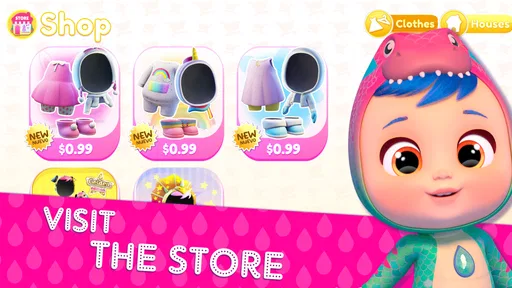
Because the game is free, the initial decision is easy, but free access does not necessarily mean every part of the experience is cost-free. The app includes in-app purchases ranging from $0.99 to $29.99 per item. I would therefore treat installation as the beginning of the setup conversation, not the end.
On a household device, I would check the device’s purchase settings before allowing a child to play independently. I would also make the rule clear in simple language: the child can play, but cannot approve a purchase without asking. This is especially important when several family members use the same device and one person’s saved payment arrangement may be available during another child’s turn.
I would avoid presenting purchases as rewards for staying quiet or finishing chores unless the family already has a clear system for digital spending. A child may understand a small toy purchase differently from an in-game item, and themed characters can make the request feel urgent. The safest approach is to separate playtime from payment decisions and handle any purchase with an adult present.
Another sensible boundary is to decide whether the device is for shared play or personal play. If siblings use the same phone, they may assume that anything unlocked belongs to everyone. If one child sees the game as their own space, disagreements can begin when another child changes the experience. The game may be enjoyable in either arrangement, but the household should choose the arrangement rather than letting the device decide it by accident.
Account expectations on a family device
I would not assume that a shared installation creates separate child spaces. For that reason, families should avoid promising each child an individual area unless the device or game clearly provides one during setup. A parent can still coordinate use with simple routines: one child plays while another watches, or each child gets a turn at a predictable time.
This is one of the less obvious trade-offs of a character-led game. The emotional attachment can make shared progress feel important, even when the children are only using one installation. Before the first session, I would explain whether the children are exploring together or taking turns with the same game. That small conversation prevents a child from feeling that a sibling has “taken” their characters or changed something that was meant to remain personal.
If the device belongs to an adult, I would also keep ordinary personal material separate from the child’s play session. The issue is not unique to this game, but a young player may tap quickly through screens and move from the game into another part of the device. An adult nearby can guide the transition and return the phone or tablet to its normal household use afterward.
Coordinating play between siblings
Cry Babies Magic Tears is easier to share when the children have different roles. One child can hold the device while another describes what they notice, suggests the next action or remembers where a character appeared. This turns a potentially frustrating handover into cooperative play. It is a particularly useful method when one child is more confident with touch controls than the other.
I would also avoid making the older child the permanent “helper.” If one sibling always controls the screen, the younger child may become a spectator rather than a player. A better routine is to switch roles after a clear event, such as finishing an activity or reaching a natural pause. The game’s accessible presentation makes this kind of rotation practical, even if the children have different levels of dexterity.
For a parent, the important question is not simply whether the children can take turns, but whether the game gives them a reason to talk. Character-based play can support that conversation: children can name what they see, invent a small story around the Cry Babies and compare their choices. Those moments are more valuable than simply measuring how long the app keeps them busy.
Age context and the role of trust
The Everyone rating makes the game approachable for a wide household audience, but I would still match supervision to the child rather than relying only on the label. A confident older child may need little help with the basic interaction, while a younger child may need an adult to interpret instructions, manage the device and understand when the session is finished.
Trust should grow from observed behavior. If a child consistently follows the family’s purchase rule, hands over the device when asked and stays within the game, independent play becomes easier to manage. If the child taps through screens quickly, becomes upset when asked to stop or repeatedly asks for paid items, I would keep an adult closer and shorten sessions.
This is also where the game’s gentle presentation can be misleading for parents. A soft, child-friendly style does not remove the need for digital guidance. Children can still become absorbed, argue over turns or misunderstand what an on-screen option means. The right level of supervision depends on the child’s habits, not only on the game’s appearance.
Performance expectations and device fit
The current version is 3.10.2, and the game supports Android 7.0 or later. That makes it available on many older Android devices, which is helpful for families using a hand-me-down phone or tablet. Even so, compatibility is not the same as comfort. A device that technically runs the game may still be awkward if its screen is small, its touch response is unreliable or the battery is already weak.
I would test it on the actual shared device before promising it to a child. Young players are less patient with delayed taps or a crowded screen than adults are, and they may assume they did something wrong when the device simply fails to respond smoothly. A larger tablet can make character-focused play easier to see, while a phone is more convenient for short turns but may encourage children to hold the screen very close.
Families should also decide where the device is used. A tablet kept in a common room makes supervision and turn-taking easier than a phone carried into a bedroom. That is not a special feature of this game, but the short, inviting activities can make location rules important. I prefer a visible shared space for younger children, especially during the first few sessions.
What the educational label means in practice
I see the educational side of this game as informal rather than curriculum-driven. The child is learning how to navigate a digital space, notice visual clues, follow a sequence and make simple choices. Those are worthwhile skills, but they should not be confused with measurable academic instruction.
Parents can bring more value to the experience by adding conversation. Ask the child why they chose a particular character, what they expect to happen next or how they would explain the activity to a younger sibling. These questions make the game more interactive and help the adult see whether the child understands the task or is simply tapping until something changes.
One useful trade-off is that the Cry Babies theme may motivate a child who ignores a plain educational worksheet. The same theme may distract a child who needs concentrated practice. I would use it as a bridge into learning-related conversation, not as the only educational app in the household.
Who should choose it, and who should skip it
I would recommend it to families with a young Cry Babies fan, especially when the goal is a friendly game for short shared sessions. It is also a reasonable choice for a child who is beginning to use a touchscreen and benefits from familiar characters rather than an abstract interface. The free entry point makes experimenting low-risk, provided an adult handles purchase boundaries.
I would skip it if the main goal is advanced gameplay, lengthy challenges or a complete lesson plan. Older children who have moved beyond character-led play may find it too simple, while children who dislike the Cry Babies style will not gain much from the theme. I would also choose another option if the household needs clearly separated profiles, carefully managed progress or a game built around a specific school subject.
In those situations, a dedicated puzzle game, early-learning course or offline activity may serve the family better. The comparison is not about which category is universally superior. It is about whether the child wants to play inside the Cry Babies world or whether the parent needs a more focused tool.
My household verdict
After looking at it as a shared-device game rather than just a children’s download, I find Cry Babies Magic Tears easy to recommend with sensible boundaries. IMC Toys has created something approachable for children who already recognize the characters, and its free price makes a trial straightforward. The average rating is 4.1 from around 17 thousand ratings, while more than 10 million installs show that it has reached a substantial audience.
Those figures do not decide whether it belongs in your home, but they do suggest that the game has broad appeal among its intended audience. My own judgment is more specific: it works best as a short, supervised or lightly supervised character game, not as a replacement for structured learning or a full family gaming system.
The most important preparation is simple. Set a turn-taking rule, explain the purchase boundary, decide whether play is shared, and watch the first few sessions closely enough to understand how your child responds. Once those expectations are clear, the game can fit comfortably into a family routine without creating unnecessary arguments over the device.
My final recommendation is to try it when the child’s interest begins with Cry Babies themselves. That is where the game has its strongest advantage. If the characters motivate exploration, conversation and gentle digital practice, it can be a pleasant addition to a shared tablet. If you need precise academic progress, independent account spaces or deeper challenges, I would look elsewhere rather than expecting this playful experience to become something it was not designed to be.
Verdict
Strengths of Cry Babies
- Colorful visuals and cute character designs appeal to younger children.
- Simple controls make the game easy for kids to understand.
- Familiar Cry Babies characters can make the experience more engaging.
- Short activities suit children with limited attention spans.
- Offline play may be convenient during travel or without internet access.
Limitations of Cry Babies
- Gameplay can feel repetitive after the initial activities are completed.
- Some content or characters may require in-app purchases to unlock.
- Frequent ads can interrupt play, depending on the version installed.
- The app may offer limited challenge for older children.
- Parental supervision is recommended for purchases and screen-time control.
Similar Picks in This Category
View All
Little Panda Policeman
BabyBus4.0

Monster Trucks Game for Kids 2
Raz Games4.1

Little Panda's Chinese Recipes
BabyBus4.4

Little Panda's Restaurant
BabyBus4.4

Little Panda's Ice Cream Games
BabyBus4.3

Baby Panda Care
BabyBus3.8
Frequently Asked Questions
What is Cry Babies?
Cry Babies is a colorful mobile game based on the popular Cry Babies characters. It is designed mainly for younger players and combines simple activities, character interaction, playful animations, and child-friendly entertainment. Depending on the version available for Android or iOS, the app may include mini-games, virtual care features, customization options, or short activities involving the different Cry Babies dolls.
Is Cry Babies suitable for children?
The game is generally aimed at children, especially fans of the Cry Babies animated world, because its controls and activities are usually simple to understand. However, parents should review the recommended age rating, privacy information, advertisements, and in-app purchase settings before allowing a child to play. Younger children may also need supervision when using the device.
Does Cry Babies require an internet connection?
Some parts of Cry Babies may work without a permanent internet connection after the application has been installed, particularly basic gameplay and previously downloaded content. Nevertheless, an internet connection can be required for the first download, updates, advertisements, additional content, or certain online features. Availability may vary between Android and iOS versions, so checking the store description is recommended.
Are there advertisements or in-app purchases in Cry Babies?
Cry Babies may include advertising, optional purchases, or paid content depending on the specific edition and the country where it is downloaded. These elements can include extra characters, accessories, gameplay items, or the option to remove advertisements. Parents should check the official store listing and activate purchase restrictions or parental controls to help prevent accidental transactions.
What devices are compatible with Cry Babies?
Compatibility depends on the particular Cry Babies application, since several games and companion apps may use the same brand. Before downloading, check the required Android version or iOS version, supported device models, storage requirements, and developer information on the official app store. Older phones and tablets may experience slower performance or may not support the newest release.
Play our best games!


